

🎨 Visual Theme Editor
Pick colors, fonts, and spacing with dropdowns and color pickers - no hex codes or YAML syntax needed.
此内容尚不支持你的语言。
Lore Studio is a Visual Studio Code extension that lets you configure your entire site through an intuitive visual interface - no YAML editing required.
Open VS Code
Launch Visual Studio Code (desktop or GitHub Codespaces)
Install the extension
Open your site folder
File → Open Folder → Select your HugoBlox site directory
Studio activates automatically
The extension detects your HugoBlox site and activates
🎨 Visual Theme Editor
Pick colors, fonts, and spacing with dropdowns and color pickers - no hex codes or YAML syntax needed.
🚀 Quick Setup Wizard
Answer a few questions and Studio generates your complete configuration automatically.
✨ Live Preview
See changes instantly with real-time validation and helpful error messages.
🪄 Fix-It Bot (Pro)
Automatically format and lint Markdown + YAML across your entire site. Great for long-lived, messy repos and multi-author teams (early access).
💾 Auto-Save
Changes are automatically saved to your params.yaml - no manual file editing.
Studio provides visual editors for all site settings:
First time using Studio? The Quick Setup wizard guides you through essentials:
Tell us about your site
Choose your look
Enable features
Done!
After installation, access Studio in several ways:
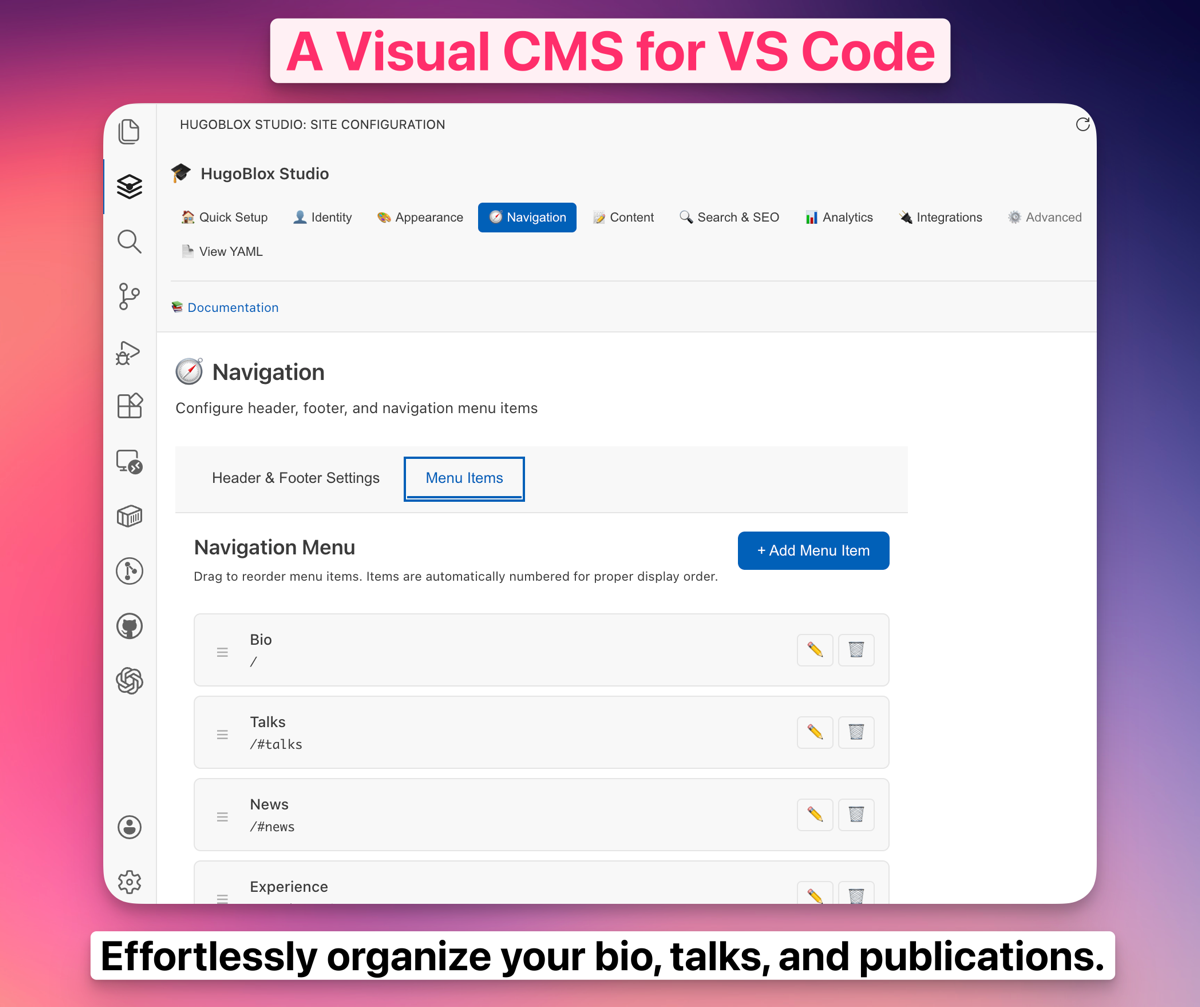
Studio organizes settings into logical sections:
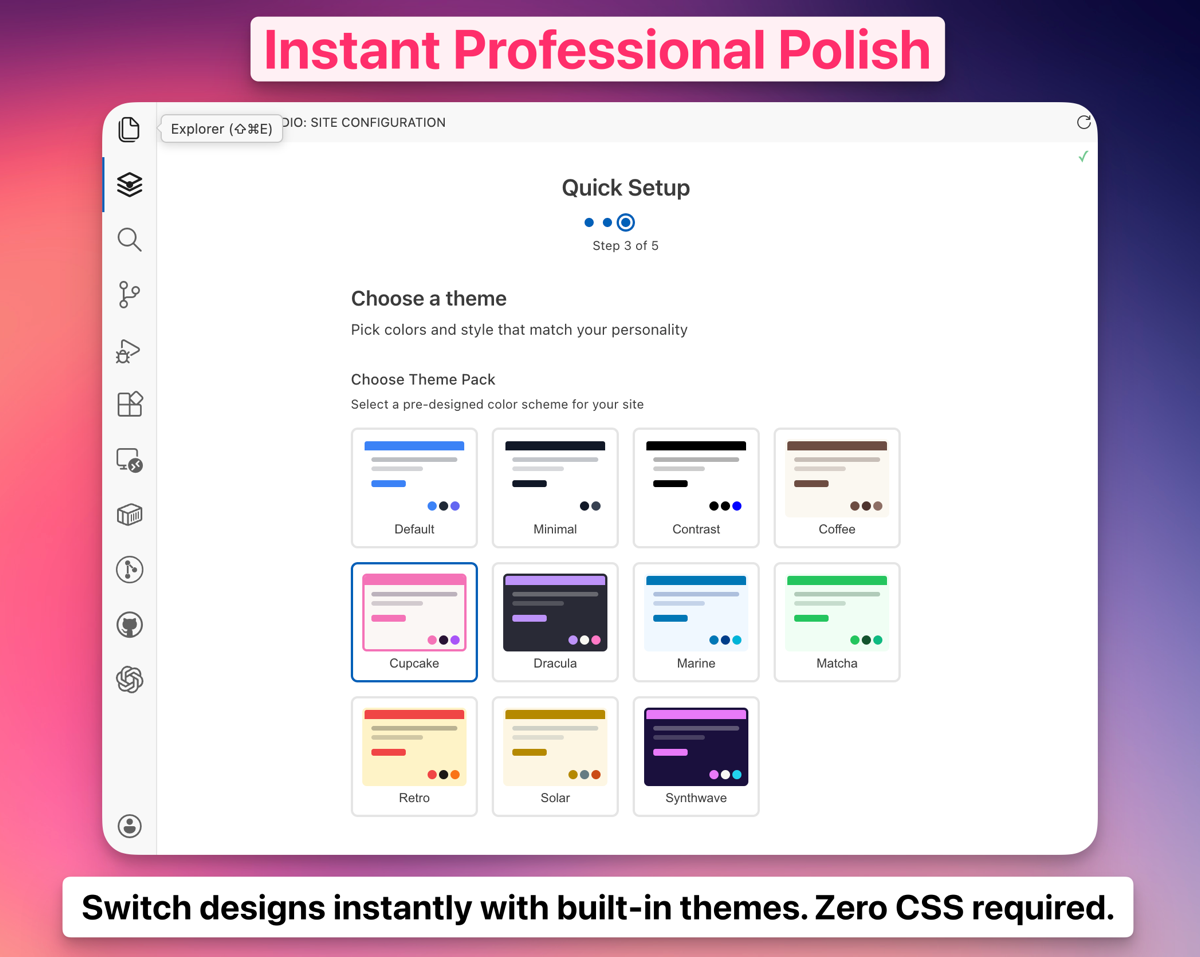
🏠 Quick Setup (Wizard)👤 Identity (Name, description)🎨 Appearance (Themes, colors)🧭 Navigation (Header, footer)📝 Content (Math, citations)🔍 Search & SEO (Search, meta tags)📊 Analytics (GA, Plausible)🔌 Integrations (Comments, repo)⚙️ Advanced (Security, debug)📄 View YAML (Raw editor)One of Studio’s best features - visually preview and select theme packs:
Professional:
Creative:
Bold:
Studio includes an intuitive color picker:
Click a color swatch to choose from Tailwind’s professionally-designed palettes:
Type any hex code for your exact brand colors. Studio automatically generates the full color scale (50-950 shades).
Studio validates your configuration in real-time:
Studio works perfectly in GitHub Codespaces for cloud-based editing:
Yes! Studio is a local VS Code extension. You only need internet for initial installation.
Absolutely! Studio and manual YAML editing work together. Click “View YAML” in Studio to switch to raw editing.
Yes! Studio preserves comments and formatting when saving changes.
Studio looks for:
hugoblox.yaml in your project rootconfig/_default/params.yaml with hugoblox: keyIf not detected, you may need to upgrade: npx hugoblox@latest upgrade
Yes! Lore Studio is free for all users.
Need help with Studio?