

Syntax
> [!NOTE]> Useful information.
> [!TIP]> Helpful advice.
> [!WARNING]> Urgent warning!此内容尚不支持你的语言。
HugoBlox uses GitHub Flavored Markdown (GFM) with powerful extensions. This guide covers the essentials for writing content.
Common syntax you’ll use every day.
| Description | Syntax | Result |
|---|---|---|
| Bold | **Bold** | Bold |
| Italic | *Italic* | Italic |
| Strikethrough | ~~Strike~~ | |
| Subscript | <sub>Sub</sub> | Sub |
| Superscript | <sup>Super</sup> | Super |
| Underline | <ins>Underline</ins> | Underline |
| Code | `Code` | Code |
| Link | [Link](url) | Link |
Unordered
- Item 1- Item 2 - Sub-itemOrdered
1. First2. Second3. ThirdTask list
- [x] Done- [ ] To Do> This is a blockquote.>> It can span multiple lines.This is a blockquote.
It can span multiple lines.
| Feature | Status || :-- | :--: || Tabs | ✅ || Math | ✅ || Feature | Status |
|---|---|
| Tabs | ✅ |
| Math | ✅ |
Basic syntax:
Rendered:
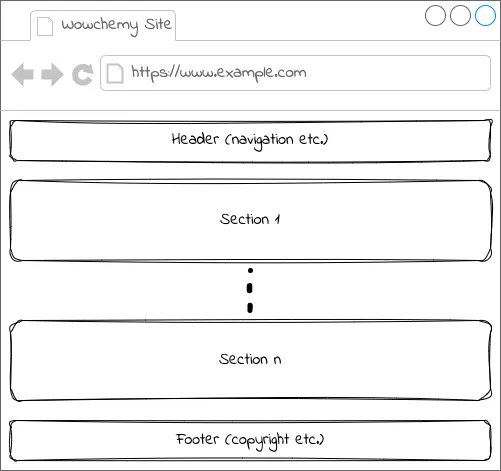
From site media library in assets/media/ (first checks for image in page folder):
HTML for sizing:
<img src="my-image.jpg" alt="Descriptive alt text" width="600" />Link an image:
[](https://example.com)Highlight critical information using GitHub-style callouts.
Syntax
> [!NOTE]> Useful information.
> [!TIP]> Helpful advice.
> [!WARNING]> Urgent warning!Preview
Display code snippets with automatic highlighting.
```python {2}def hello(): print("Hello, world!") # This line is highlighted!```For non-standard languages, you may need to enable them in your configuration.
Advanced rendering for technical content.
Inline: $E = mc^2$
Block:
$$E = mc^2$$Math is auto-detected, but you can always force it to be parsed with the front matter: math: true.
Create your diagram in your preferred Markdown editor or the online diagram editor.
```mermaidgraph TD; A[Start] --> B{Working?}; B -- Yes --> C[Great]; B -- No --> D[Debug];```Shortcodes are special Hugo templates that insert rich components.
| Shortcode | Description | Example Input |
|---|---|---|
| Buttons | CTA links | {{< button url="/start/" >}}Get Started{{< /button >}} |
| Icons | SVG icons | {{< icon name="hero/rocket" >}} |
| Steps | Numbered lists | {{< steps >}} ... {{< /steps >}} |
| Spoilers | Collapsible details | {{< spoiler text="Click me" >}}Content{{< /spoiler >}} |
| TOC | In-page Table of Contents | {{< toc >}} |
Render Jupyter Notebooks (.ipynb) directly in your content. Preserves code, markdown, and rich outputs (plots, HTML, JSON).
Local File (in assets/notebooks/ or page bundle):
{{< notebook src="analysis.ipynb" >}}Remote URL:
{{< notebook src="https://raw.githubusercontent.com/user/repo/main/demo.ipynb" >}}| Option | Default | Description |
|---|---|---|
src | - | Required Path to file or URL |
title | filename | Custom header title |
show_code | true | Show/hide input cells |
show_outputs | true | Show/hide output cells |
show_metadata | false | Show kernel info |
line_numbers | false | Show code line numbers |
Use standard syntax for best compatibility, but shortcodes offer more control.
# Video with poster{{< video src="demo.mp4" poster="thumb.jpg" >}}
# Audio player{{< audio src="podcast.mp3" >}}
# YouTube/Vimeo/etc.{{< embed src="https://www.youtube.com/watch?v=..." >}}
# Figure with caption{{< figure src="image.jpg" caption="My Image" >}}[Link](../page) instead of full URLs. This keeps links working in previews and forks.assets/media/ for global use, or in the page bundle for page-specific use..